
Deploy Elasticsearch On An EC2 Instance
My Amazon Picks


In this post, we will deploy a single node Elasticsearch cluster on a AWS ec2 instance
Create And Launch An ec2 Instance
1. Login to AWS console and select ec2 service
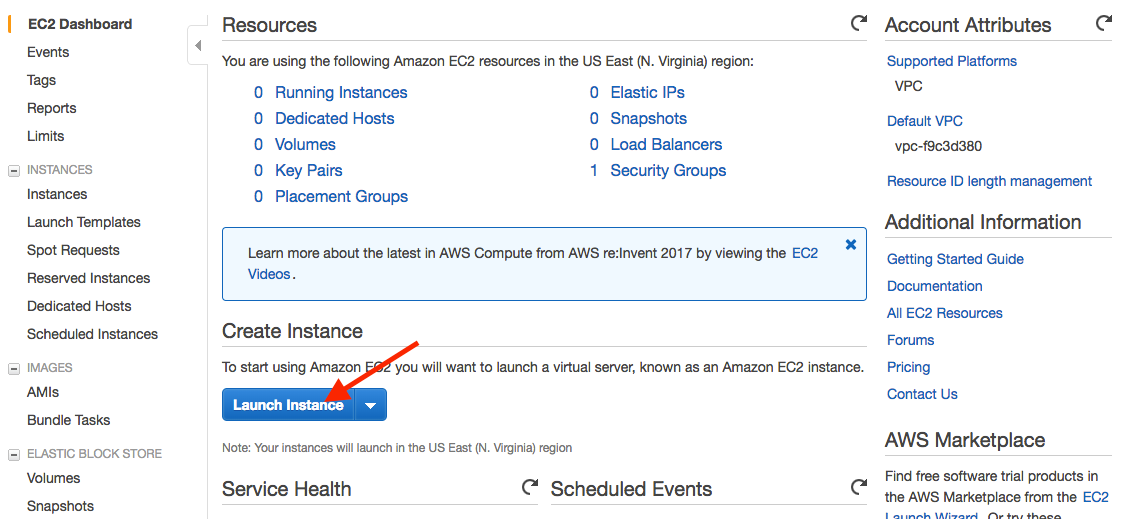
2. Click Launch Instance
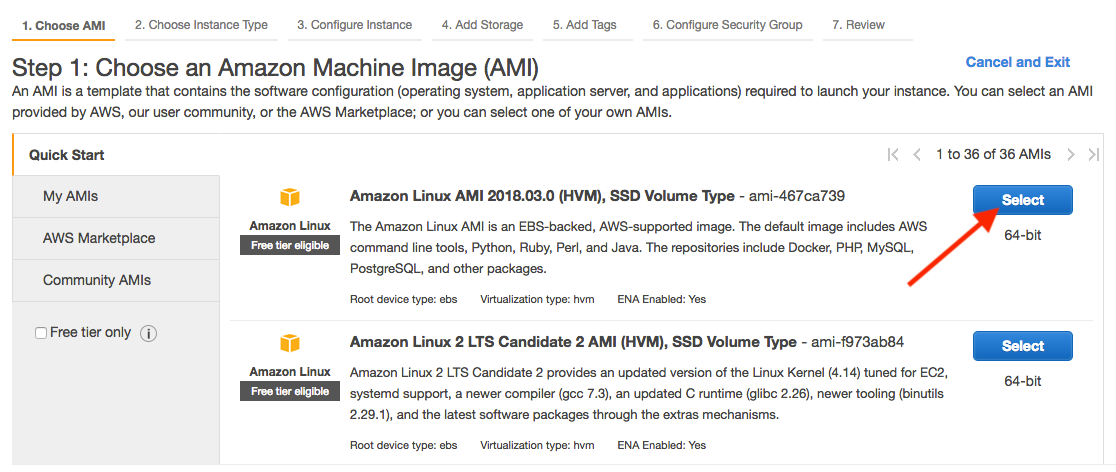
3. Select a Amazon machine image. I chose Amazon Linux
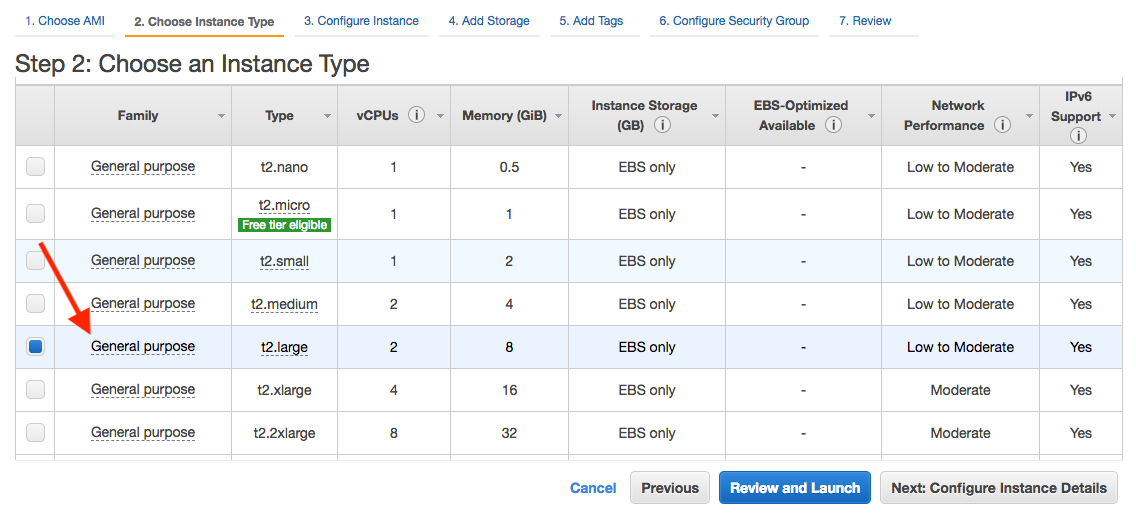
4. Select an instance type. For the purpose of this tutorial I picked t2.large instance since it has 8 GB of RAM. Click "Review and Launch"
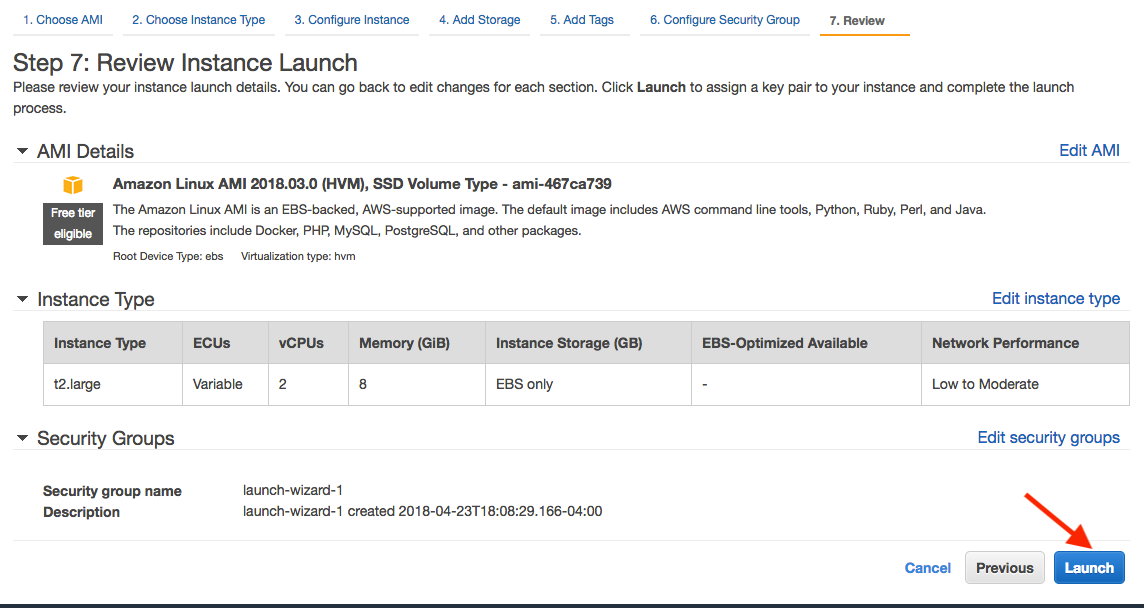
5. In the Review Instance Launch screen click launch
6. Next you would be asked about the key pair. Choose create a new key pair, name it anything; I named it es-key-pair and download it. Once you download, the Launch Instances button would get enabled, so click it to launch the instance
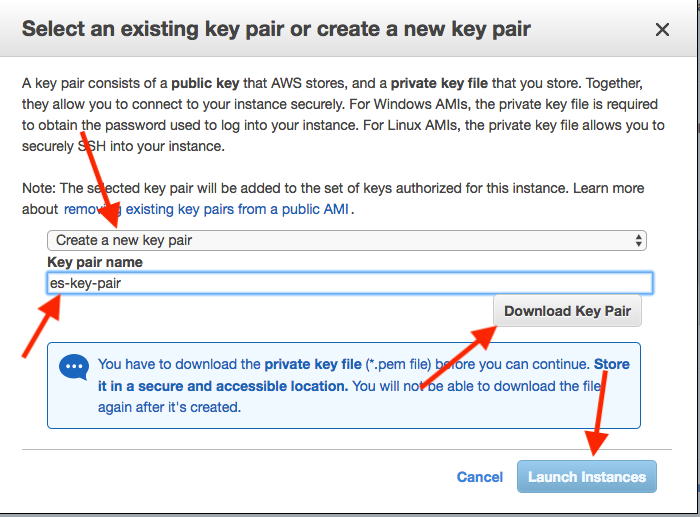
The above steps should initiate launch process for the ec2 instance. Wait for the instance to launch, you can check its status by visiting the ec2 dashboard and clicking running instances
Prepare The Instance
1. Fix permission of the key pair file
chmod 400 es-key-pair.pem
2. ssh into the ec2 instance
ssh -i es-key-pair.pem ec2-user@<your-ec2-hostname-or-public-ip>
3. Install java 8
sudo yum install java-1.8.0 4. This ec2 instance comes preinstalled with Java 7. But latest Elasticsearch version (6.2.4 as of writing of this post) requires Java 8. Thus to keep things simple we will just remove Java 7
sudo yum remove java-1.7.0-openjdk
Setup Elasticsearch
1. Download rpm for latest version of elastic search i.e version 6.2.4 as of the writing of this article
wget https://artifacts.elastic.co/downloads/elasticsearch/elasticsearch-6.2.4.rpm 2. Install it
sudo rpm --install elasticsearch-6.2.4.rpm
3. Ensure that elastic search comes up on system startup
sudo chkconfig --add elasticsearch
4. Next cd into Elasticsearch's installation directory
cd /usr/share/elasticsearch/
5. And Install aws elastic search plugins
  sudo bin/elasticsearch-plugin install discovery-ec2
  sudo bin/elasticsearch-plugin install repository-s3
6. Start Elasticsearch
sudo service elasticsearch start
7. Verify elasticsearch is up and running
curl localhost:9200/_cluster/health?prettyCongrats! You have successfully installed Elasticsearch on an EC2 instance. If you would like to setup an Elasticsearch cluster and view this blog post: How To Setup An Elasticsearch Cluster On AWS EC2 Instances