
Deploy A ReactJS Site On Amazon S3
In this article I will show how can a ReactJS site be deployed on AWS S3.
The tutorial illustrates the deployment of a React site, however the same approach can be used to deploy Angular, VUE and other JavaScript based or static sites on S3.
By using S3 bucket's web hosting feature, static sites can be hosted on S3. The benefits includes cost effectiveness and all the agility, security and scalability benefits that comes from hosting on the AWS Cloud.
1. Create The Site Locally
The the site locally using the following command
create-react-app my-static-site2. Start The Site On Localhost
Bring up the site on your localhost
cd my-static-site
yarn start
3. Make Changes
Make whatever changes you desire and test them locally
4. Create An S3 Bucket
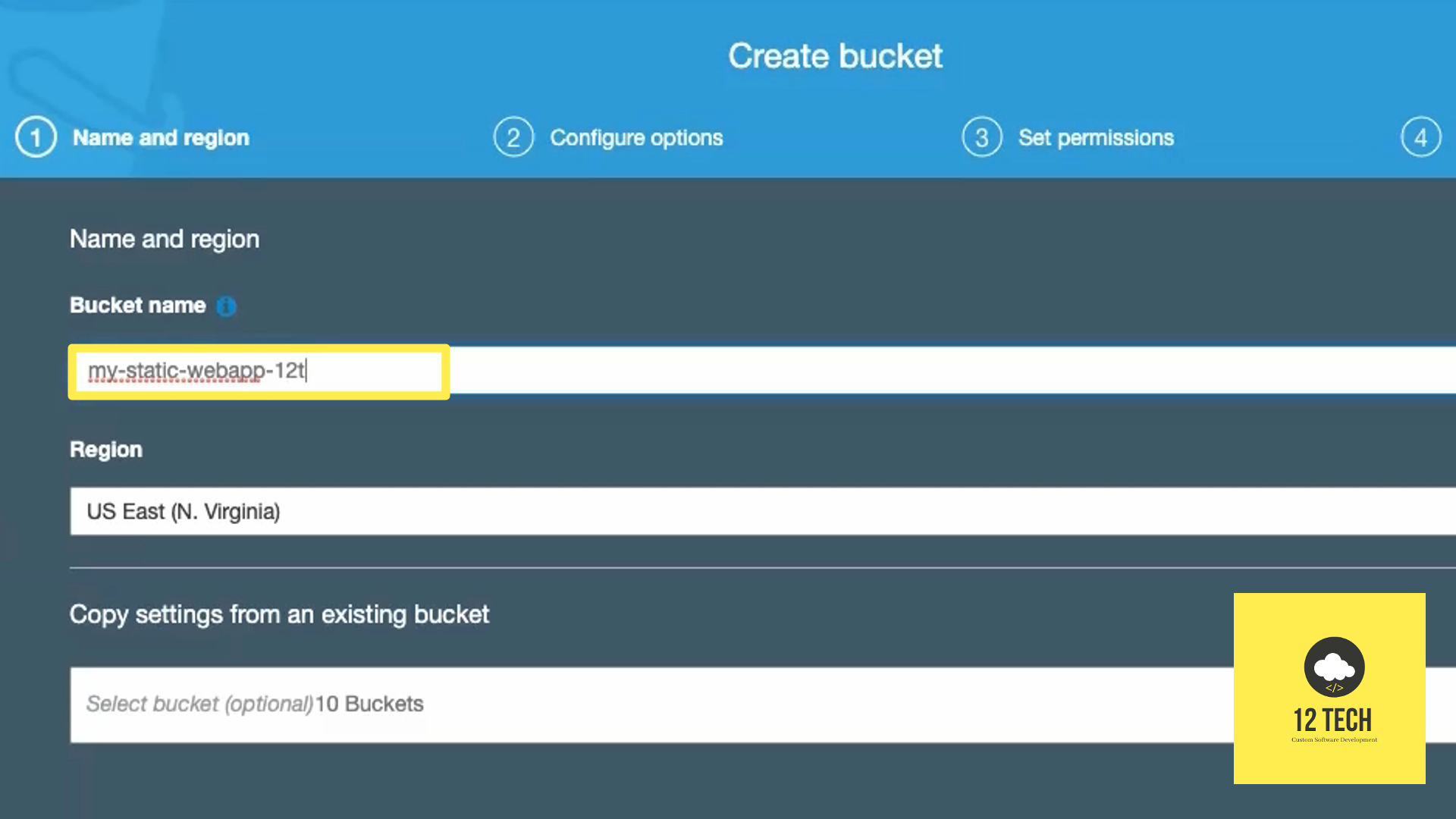
Next create an S3 bucket that would host the site. From the AWS console, select S3->create bucket
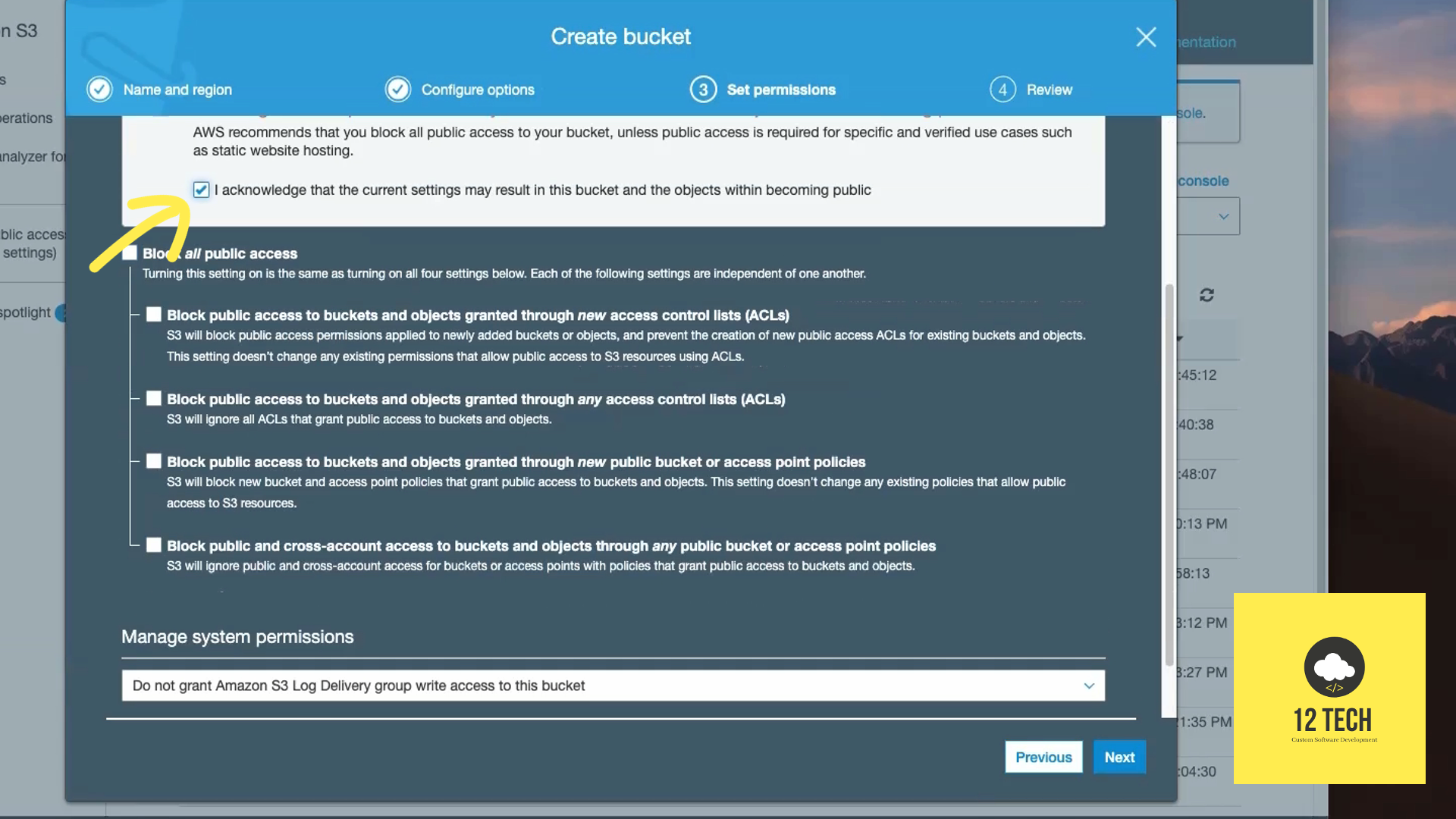
Uncheck block all public access
5. Enable Static Web Hosting
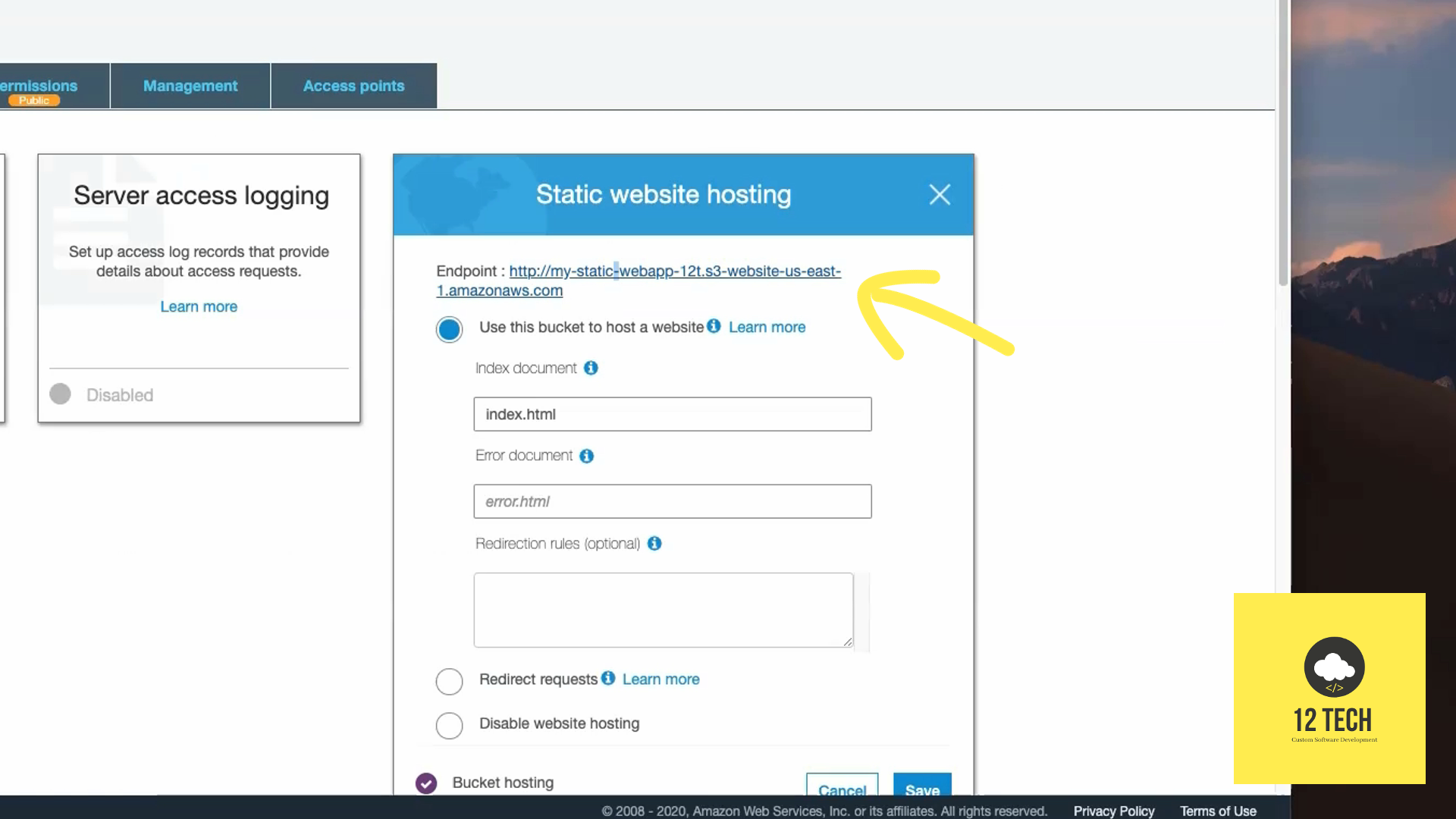
Enable static web hosting on the S3 bucket. Select the bucket, click the properties tab and select static web hosting
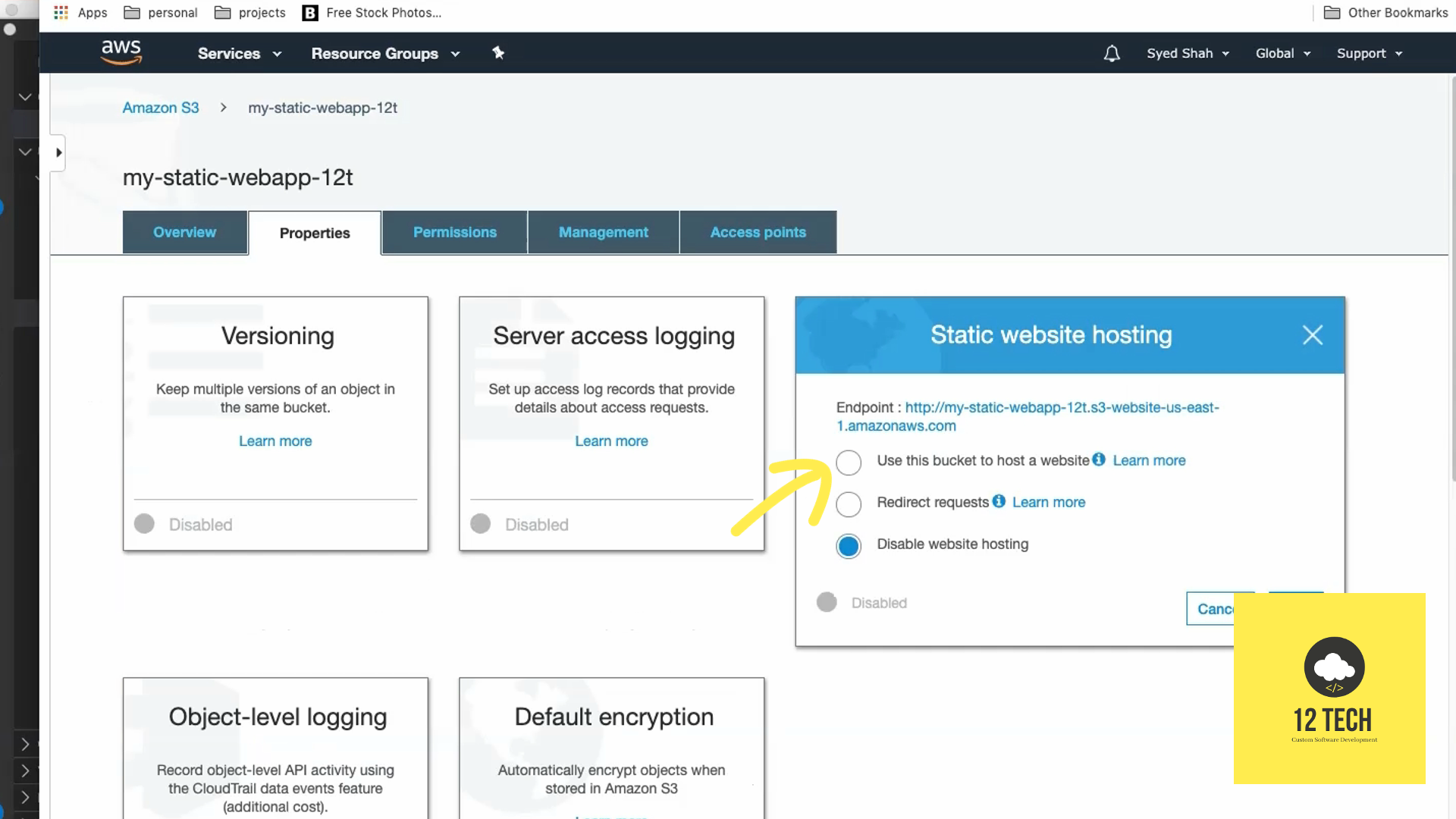
Then select the "using this bucket to host a website" option
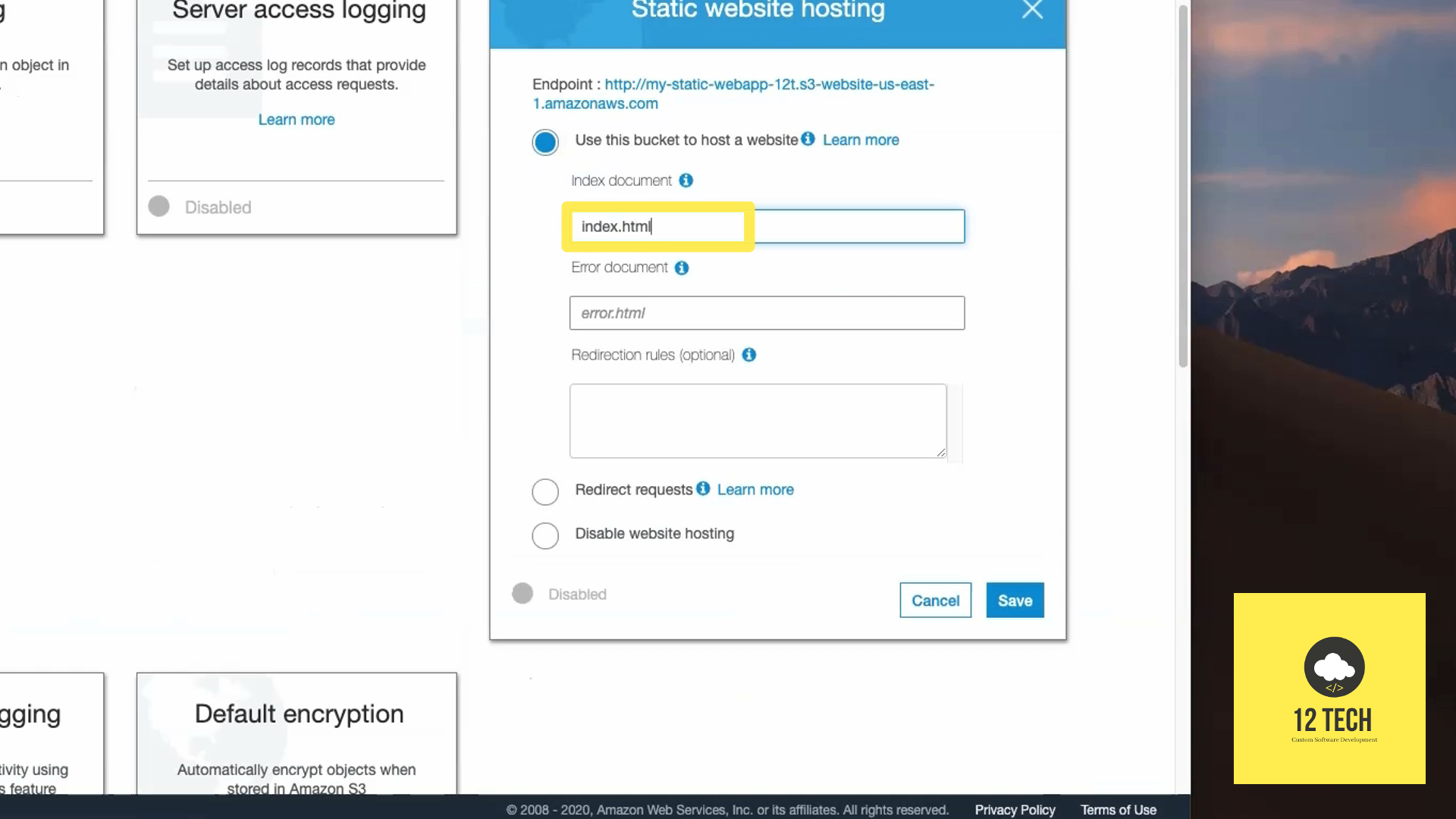
In the Index document field enter index.html
6. Implement A Bucket Policy
This bucket requires public read access. In order to grant public read access to it apply the following policy
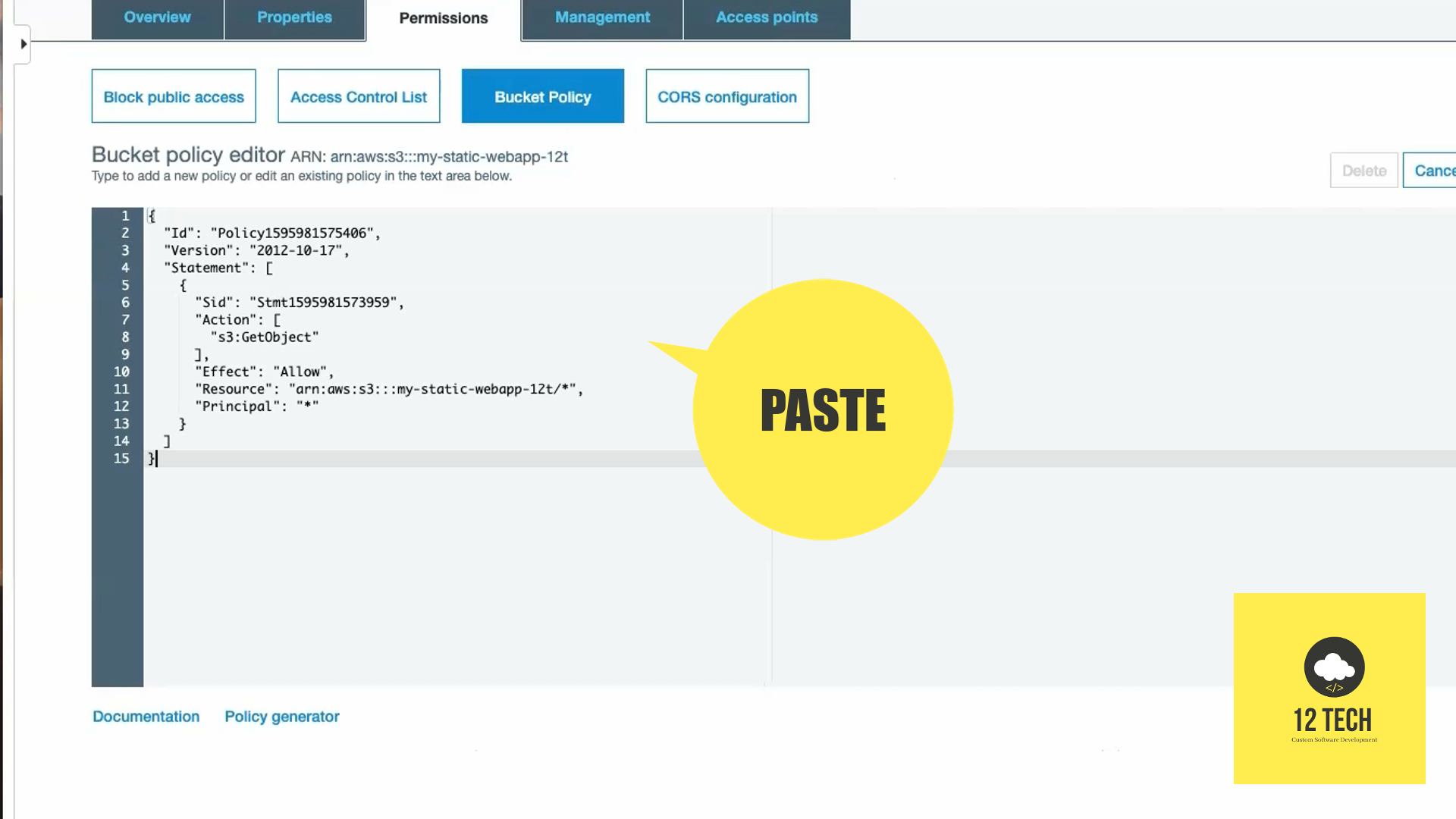
I generated this policy using the AWS's policy generator tool
7. Build And Deploy The Site
Now go back to the terminal and build the site
npm run buildThis command would create an optimized production version of the site under the build directory.
Upload the build directory contents to S3 either via the console or using the following AWS CLI command
aws s3 sync build/ s3://my-static-webapp-12tThis is all that is required to deploy the website. Now get your site's URL from S3 as follows:
8. Open The Site
Open the URL in a browser
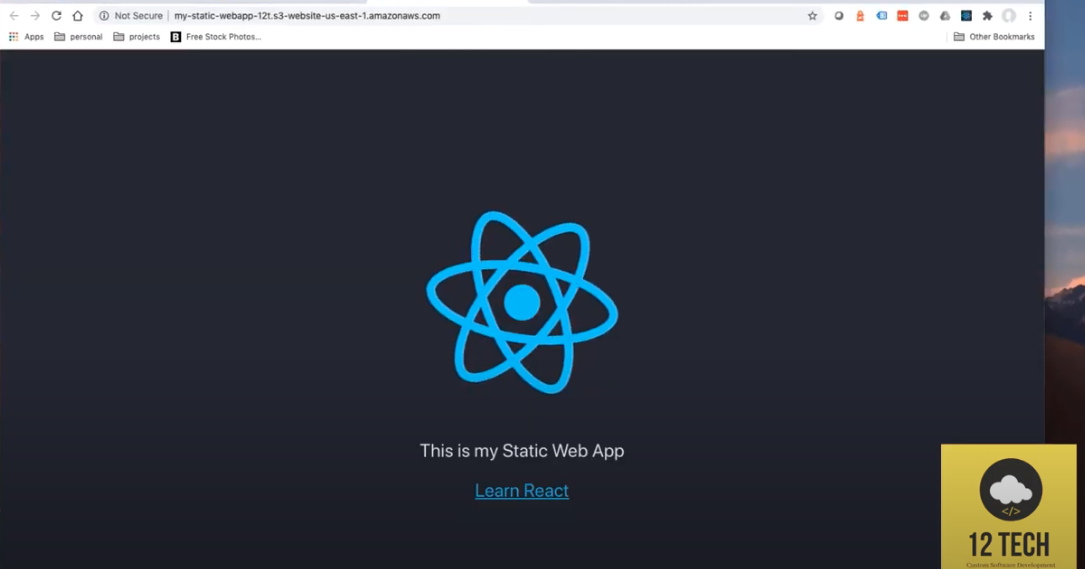
Congratulations! You have successfully deployed a static website on S3 :-D